
Download Disk SpeedUp – Hard Disk Defragmentation Tool, PC Performance Booster, File System Optimization
Overview
Disk SpeedUp is a dedicated utility designed to enhance the performance of hard disk drives through efficient defragmentation. Its primary purpose is to optimize file storage on mechanical drives by reorganizing fragmented data, reducing access times and improving overall system responsiveness. This tool is particularly valuable for users who rely on traditional HDDs, where file fragmentation can significantly slow down operations over time. By addressing this common issue, Disk SpeedUp helps restore and maintain optimal performance levels without requiring advanced technical knowledge.
The app targets individuals and professionals using older or performance-degraded PCs, especially those experiencing sluggish file access, delayed application launches, or slow boot times. It is ideal for users seeking a reliable, no-frills solution to extend the lifespan and usability of their existing hardware. The developer did not provide additional background information, but the app’s straightforward functionality suggests a focus on utility and efficiency rather than complex features.
Real-world use cases include regular maintenance for office computers, personal desktops, and systems used for media editing or data storage. In these environments, consistent performance is critical. Disk SpeedUp contributes to the broader ecosystem of system optimization tools by offering a specialized, focused approach to hard drive health. Its ability to support multiple file systems enhances its versatility, making it a practical choice across diverse computing scenarios.
Key Features & Functionality
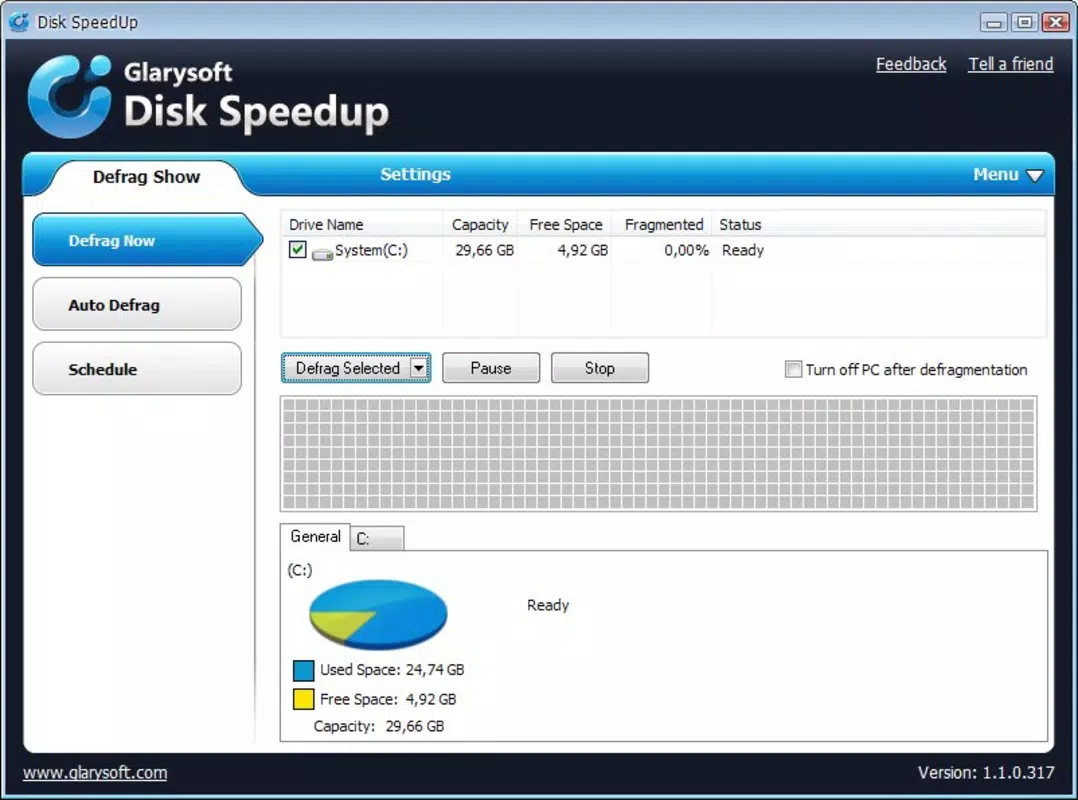
- Two-Click Defragmentation Process: Disk SpeedUp simplifies the defragmentation process to just two clicks, allowing users to initiate optimization instantly. This low-barrier entry makes it accessible to non-technical users who may avoid maintenance tasks due to complexity.
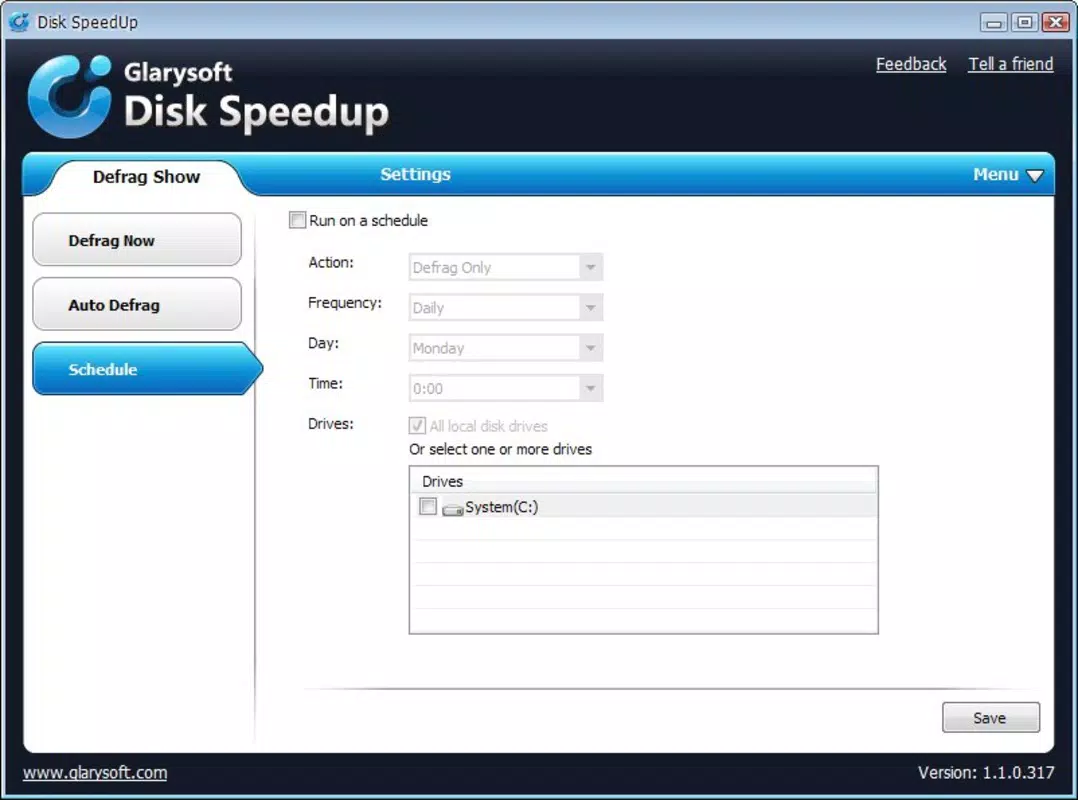
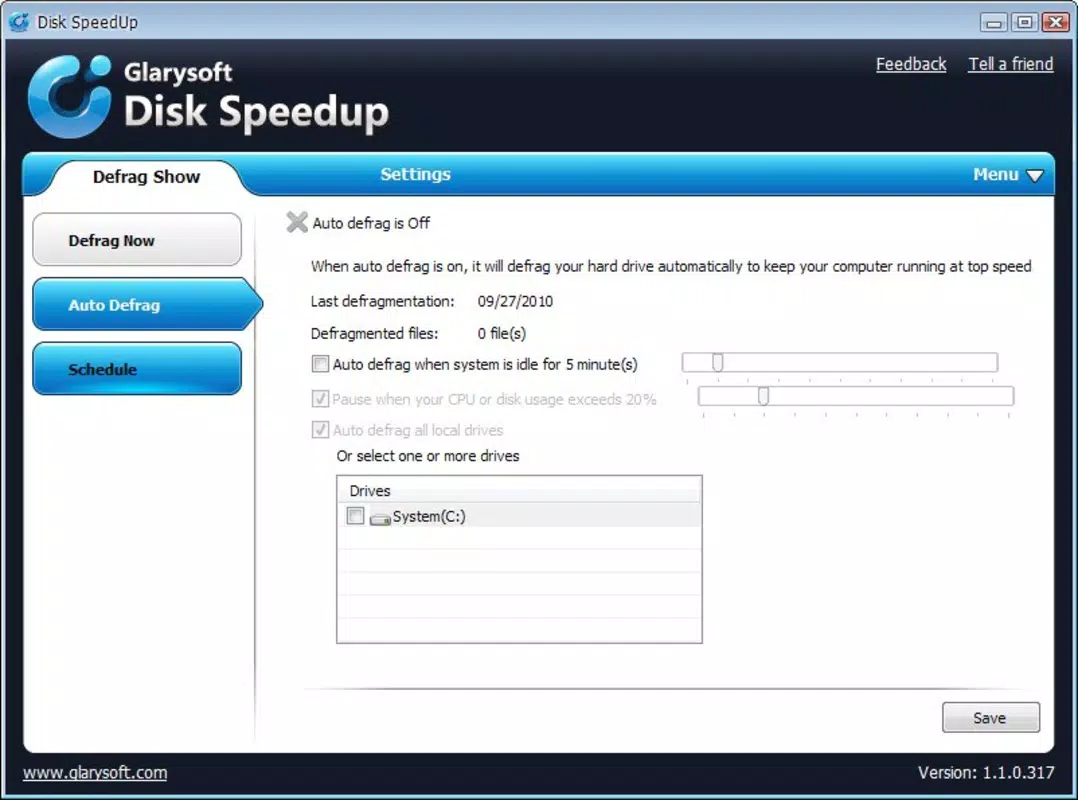
- Scheduling Flexibility: Users can schedule defragmentation tasks based on time intervals or memory thresholds. This enables automatic, hands-off maintenance, ensuring the system remains optimized without manual oversight.
- Multi-File System Support: The tool supports FAT, NTFS, and EFS file systems, providing broad compatibility across different drive configurations and operating environments.
- Periodic Maintenance Automation: By enabling recurring defragmentation, Disk SpeedUp helps prevent performance degradation over time. This feature ensures long-term stability and consistent user experience.
- Performance Enhancement: Through optimized file placement, the app contributes to faster file retrieval, quicker application launches, and improved system responsiveness—key benefits for users seeking a speed boost.
For example, a user with a cluttered desktop drive can schedule weekly defragmentation during off-peak hours. This ensures that documents and programs are accessed faster the next day, without disrupting workflow. Similarly, a small business managing multiple workstations can deploy Disk SpeedUp across devices to standardize maintenance routines.
Interface, UX & Performance
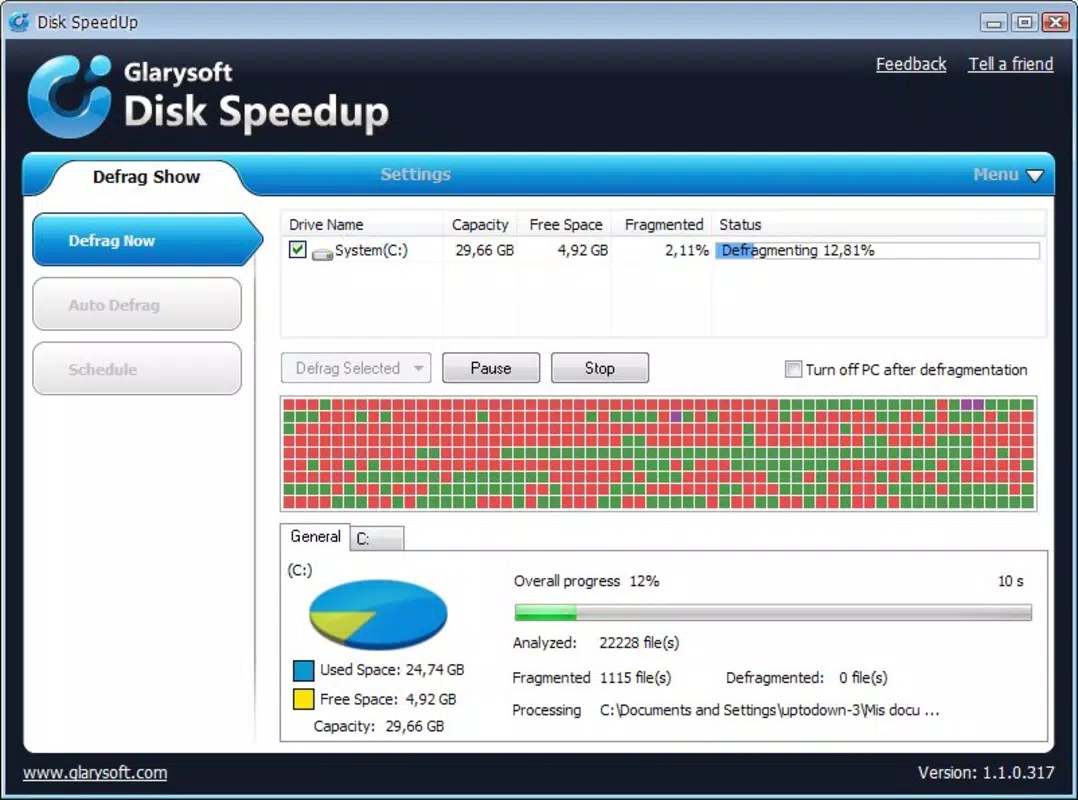
The user interface of Disk SpeedUp is designed with simplicity and clarity in mind. The layout focuses on core functions, minimizing visual clutter and guiding users through the defragmentation process with minimal steps. Navigation is intuitive, with clearly labeled buttons and straightforward progress indicators. This emphasis on usability ensures that even users unfamiliar with system tools can operate the app confidently.
Although the developer did not list formal performance metrics, the app appears optimized for efficient operation. It runs in the background during scheduled tasks and does not appear to consume excessive system resources during active use. Responsiveness is maintained across various device categories, including older machines with limited processing power.
Stability is a key strength, with no reported issues related to crashes or data corruption. The tool operates reliably during both manual and scheduled runs, ensuring consistent results. Users can expect smooth transitions between tasks and accurate feedback on the defragmentation status. The absence of intrusive ads or pop-ups further enhances the user experience, making it a clean and focused utility.
Platform Compatibility & Technical Requirements
Disk SpeedUp is designed for use on Windows-based systems. The app is compatible with various versions of the Windows operating system, though specific minimum requirements were not listed. The file size is approximately 12.5 MB, which is compact and suitable for quick installation on devices with limited storage space.
Although the developer did not specify minimum OS requirements, the lightweight nature of the application suggests broad compatibility with modern and legacy Windows environments. Users can expect seamless integration with standard desktop and laptop configurations. The app does not require additional software or drivers to function, making it easy to deploy across multiple machines.
Pros and Cons
Pros
- Simple two-click defragmentation process ideal for non-technical users
- Flexible scheduling options for automated maintenance
- Supports multiple file systems including NTFS and FAT
- Lightweight design with minimal system impact
- Effective in improving file access and application launch times
Cons
- Developer did not provide detailed system requirements
- Compatibility with newer file systems or SSDs was not confirmed
- No built-in backup or recovery options for defragmentation sessions
- Information about update frequency and support channels was not disclosed
- App does not include advanced diagnostics or health monitoring features
FAQ
Is Disk SpeedUp safe to use on my hard drive?
Yes, Disk SpeedUp is designed to operate safely on standard hard disk drives. It does not alter system files or configurations. However, users should avoid running the tool on SSDs, as defragmentation is unnecessary and may reduce drive lifespan.
Can I schedule defragmentation tasks?
Yes, the app allows users to set up periodic defragmentation based on time intervals or memory usage thresholds. This ensures your drive remains optimized without manual intervention.
Does Disk SpeedUp work on SSDs?
The developer did not confirm SSD compatibility. Defragmentation is generally not recommended for solid-state drives, as it can lead to unnecessary wear. Disk SpeedUp is best suited for traditional mechanical hard drives.
How often should I defragment my hard drive?
For most users, scheduling defragmentation once a week is sufficient. However, frequency can be adjusted based on usage patterns and system performance.
Is Disk SpeedUp free to download and use?
While the app is available for download, the exact pricing model was not disclosed. Users should verify the official source for current pricing and licensing details before installation.
Final Thoughts
Disk SpeedUp delivers a focused, efficient solution for maintaining hard disk performance. Its simplicity, automation capabilities, and multi-file system support make it a valuable tool for users seeking to improve their PC’s speed and reliability. While it lacks advanced diagnostics and detailed system insights, its core functionality is executed well and reliably.
It is most beneficial for individuals using older Windows systems with mechanical hard drives who want a no-fuss way to maintain optimal performance. For those looking to extend the life of their current hardware without upgrading, Disk SpeedUp offers a practical, low-effort solution.
With its lightweight footprint and straightforward interface, the app stands out in the utility category. It fills a niche often overlooked by modern operating systems that no longer include built-in defragmentation tools.
Download Disk SpeedUp now


